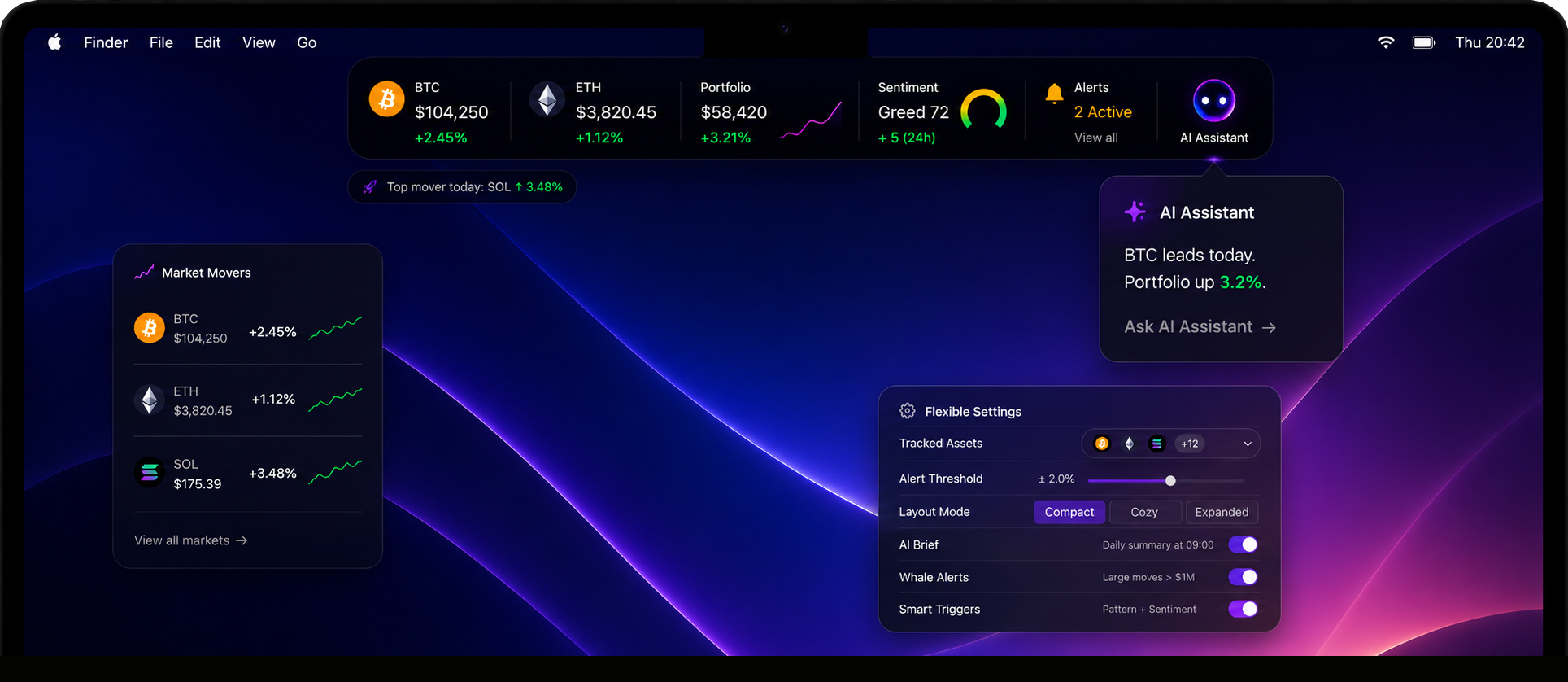
The market won’t wait for your next tab.
Keep holdings, instant alerts and AI context one glance away — so the move everyone talks about tomorrow doesn’t become the one you missed today.


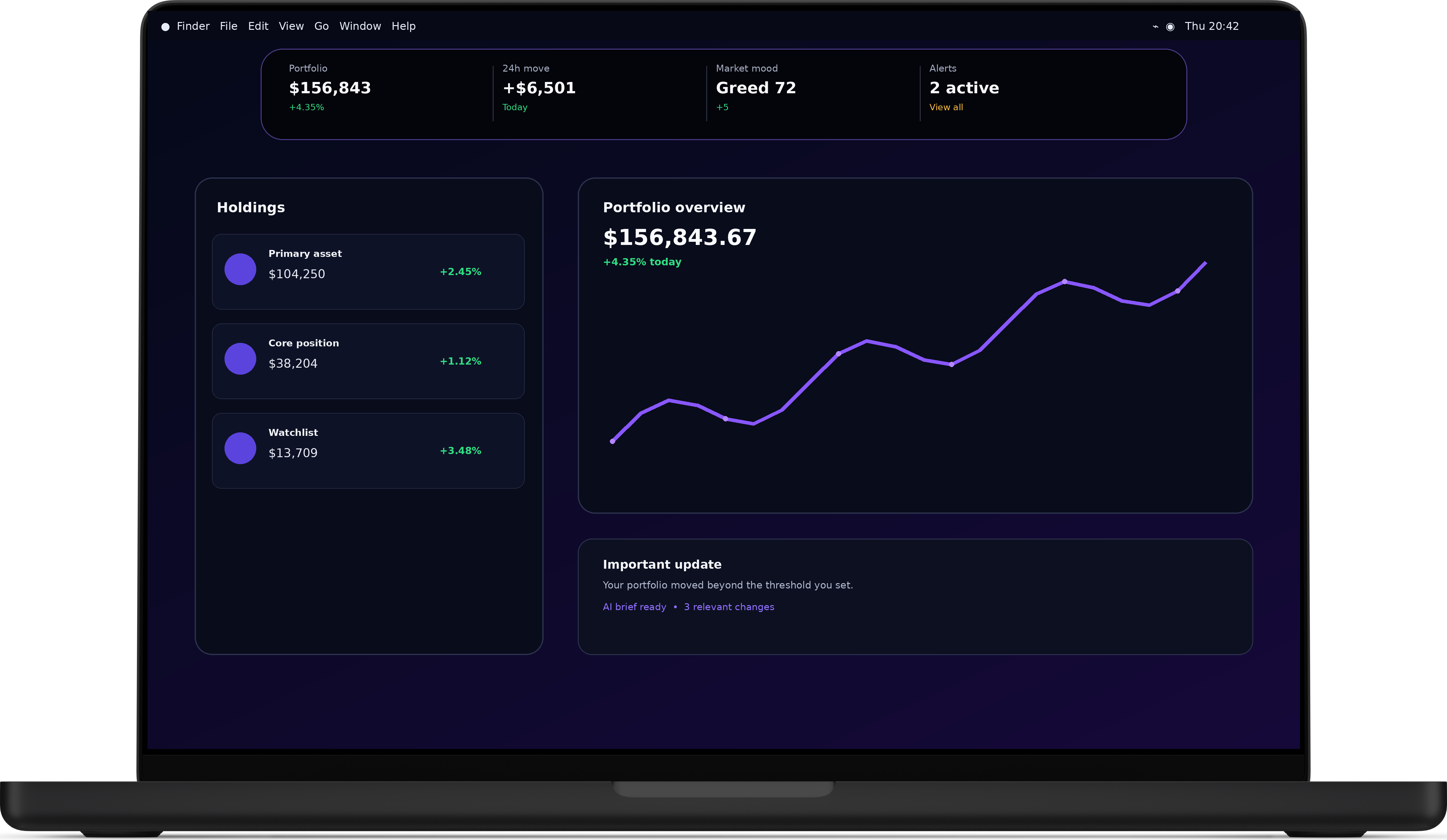
Your portfolio stays close.
Without taking over your screen.
PulseNotch turns the space around your MacBook notch into a quiet, always-available layer for the information you check most often.
Less tab switching. Less time rebuilding context. More time focused on what you were already doing.
Know when it matters.
Stay quiet when it does not.
Set the movements and portfolio changes that deserve your attention. PulseNotch remains unobtrusive until a threshold you care about is reached.
- 01Personal thresholdsChoose what counts as meaningful movement for your workflow.
- 02Portfolio-level changesUnderstand the combined picture, not just isolated updates.
- 03Daily and on-demand briefsGet a concise summary without reopening a dashboard.

Understand the change.
Skip the information overload.
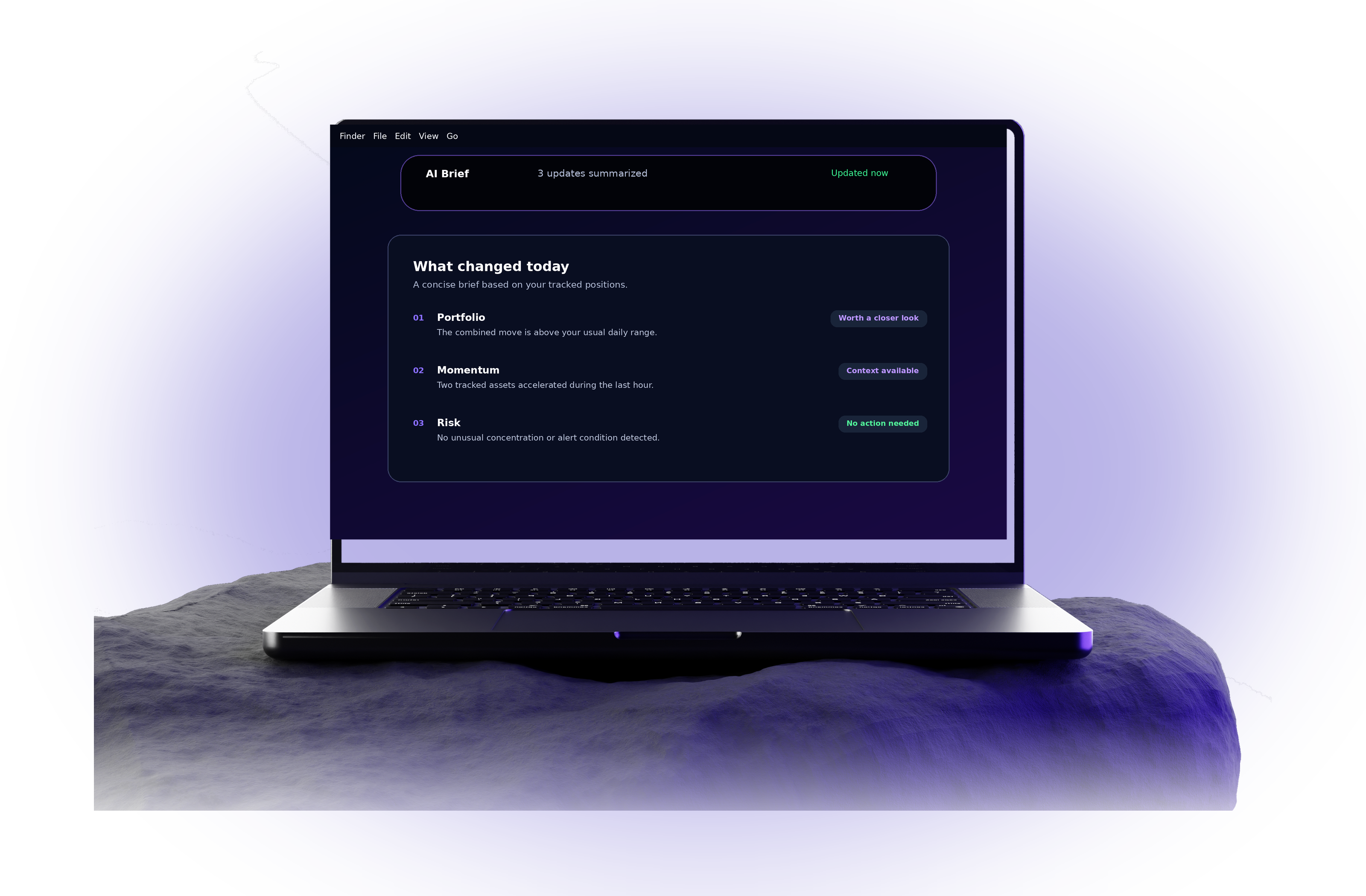
PulseNotch condenses the current picture into a short, useful brief. See what changed, why it may matter and whether it deserves a closer look.
Stop checking the same tabs.
Let the important changes come to you.
Manual checking feels harmless, but it repeatedly breaks focus and still leaves gaps between visits. PulseNotch keeps the relevant picture nearby and asks for attention only when needed.
Built for people who keep markets in view.
Whether you check frequently or hold for the long term, PulseNotch keeps the same essentials close without turning your desktop into another dashboard.
For frequent checkers
See meaningful movement sooner without refreshing the same pages throughout the day.
For patient holders
Stay aware of large changes and important context without living inside price charts.
For Mac-first workflows
Keep information in the place you already look, while the rest of your workspace stays clean.
Less checking.
Fewer missed moments.
PulseNotch is designed for the moments between deep work and active monitoring. It keeps the current picture nearby, so you do not have to choose between staying focused and staying informed.
Stop rebuilding context
Every manual check means opening a tab, finding the right view and remembering what changed. PulseNotch keeps the relevant state visible between checks.
See meaningful movement sooner
Important changes do not wait until your next scheduled check. Set your own thresholds and receive a concise alert when attention may be worthwhile.
Know why it matters
A number without context creates more work. Short summaries help explain what moved, how the wider picture changed and what deserves a closer look.
Stay informed without living in a dashboard
Keep the essentials close while the rest of your Mac stays clean. PulseNotch remains subtle until there is something worth seeing.
A small interface.
A clearer daily rhythm.
Instead of adding another full-screen workspace, PulseNotch places a compact information layer in the area you already glance at throughout the day.
A current portfolio overview
See the combined picture and your selected positions without navigating through multiple windows.
Alerts based on your thresholds
Choose what deserves attention, from meaningful movement to wider portfolio-level changes.
Concise AI-assisted briefs
Turn several updates into a short explanation that is easier to scan and act on.
Built to feel part of macOS
Compact layouts, native visual language and a lightweight footprint that stays out of the way.
Useful whether you check often
or hold for years.
The same product can support an active day and a patient long-term approach: immediate alerts when needed, quiet visibility when not.
“I no longer keep a market tab pinned all day. The important changes reach me, and the rest of my workspace stays focused.”
“The portfolio view is enough for regular awareness, while the summaries give me context when a larger move happens.”
“It feels like a native Mac utility rather than another dashboard. Small, clear and available exactly when I need it.”
Before you install.
Everything you need to know about how PulseNotch fits into your Mac workflow.
Your Mac already has a notch.
Make it useful.
Keep your portfolio, alerts and concise insights one glance away—without adding another window to your day.